
Download ScreenShot2Email – Free Screen Capture & Email Automation Tool for Windows, Mac, Android, iOS
Effortless Screen Capture & Instant Email Delivery with ScreenShot2Email
In today’s fast-paced digital world, capturing and sharing screen content quickly is essential—whether you're troubleshooting a technical issue, reporting a bug, or sending a quick visual update. ScreenShot2Email is a lightweight, user-friendly software designed to simplify this process by automating the entire workflow from screenshot capture to email delivery. With just a single keystroke, you can capture your screen and send it directly to your preferred email address.
This tool stands out for its simplicity and efficiency, making it a go-to solution for professionals, educators, and casual users alike. What sets ScreenShot2Email apart is its seamless integration with your email client—once configured, the software captures the screen, compresses the image to reduce file size, and sends it via your default email app without any manual steps. The entire process is automated, saving valuable time and reducing the risk of errors.
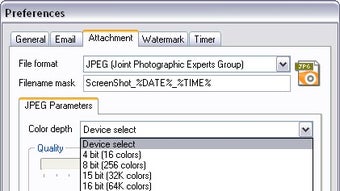
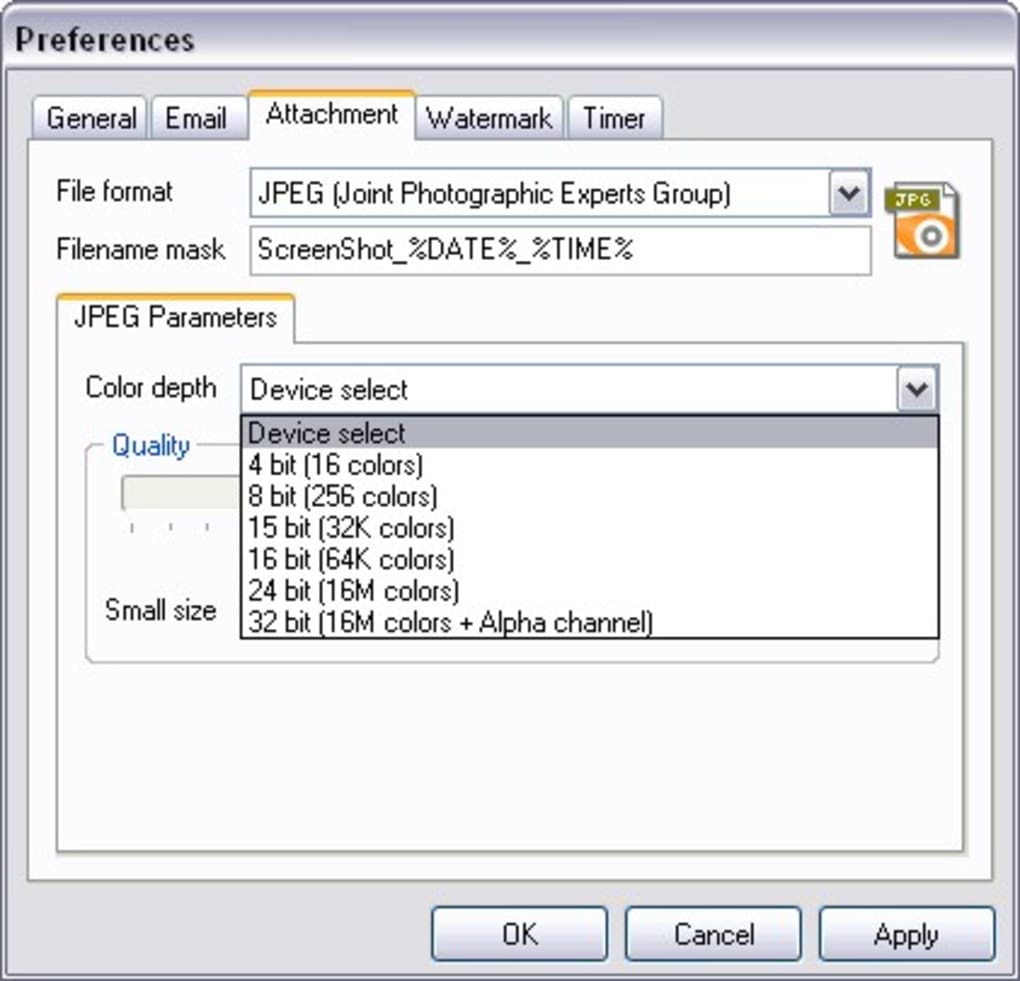
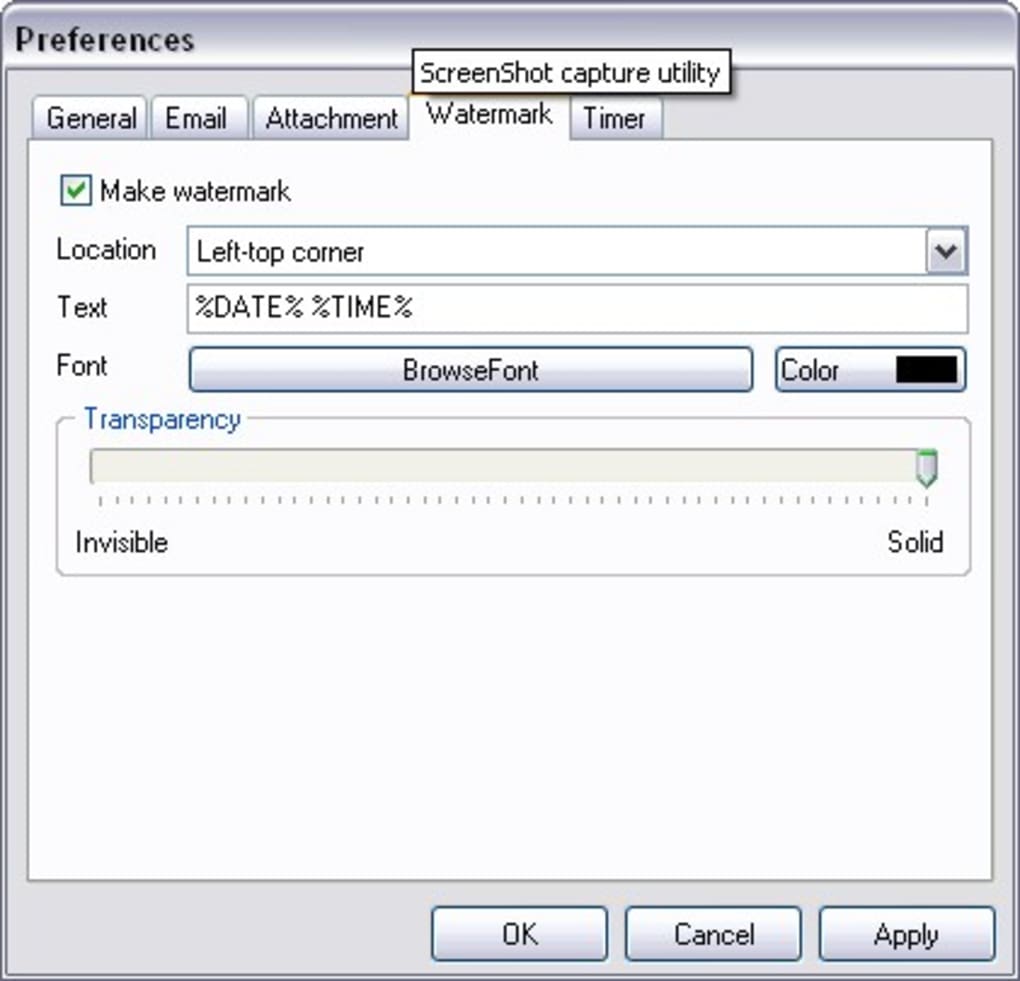
Whether you're on a Windows PC, Mac, Android device, or iOS device, ScreenShot2Email offers cross-platform compatibility, ensuring consistent performance no matter your setup. The interface is clean and intuitive, with minimal clutter, allowing users to focus on what matters most: capturing and sharing content. You can customize hotkeys to trigger captures, choose your preferred image format (PNG, JPG, BMP), and even apply watermarks or annotations for added context.
With a free version available and regular updates to improve security and performance, ScreenShot2Email is a secure, reliable, and cost-effective way to streamline your digital communication.
Key Features That Make ScreenShot2Email a Must-Have Tool
ScreenShot2Email isn’t just about capturing screenshots—it’s about making the entire sharing process effortless and efficient. One of the standout features is its customizable hotkey system, allowing users to assign specific keyboard shortcuts (like Print Screen or Ctrl+Shift+S) to trigger a screenshot instantly. This eliminates the need to open a separate app or navigate through menus.
Once captured, the image is automatically compressed to the smallest possible size without sacrificing clarity, ensuring faster email delivery and reduced bandwidth usage. This is especially useful when sending multiple screenshots or working with slow internet connections. Another powerful feature is post-capture editing, which lets you add text comments, draw shapes, or apply watermarks directly within the tool.
This is ideal for adding context, highlighting important areas, or protecting sensitive information before sending. The software also supports multiple image formats, so you can save your screenshots in PNG for high quality or JPG for smaller file sizes. For users who frequently send visual reports, ScreenShot2Email allows you to set up automatic email templates, pre-filling the subject line and body with your preferred message.
It’s also compatible with major email clients like Outlook, Gmail, and Apple Mail, ensuring smooth integration. The tool runs quietly in the background, consuming minimal system resources, making it perfect for older or low-end devices. With regular updates that improve security, fix bugs, and enhance performance, ScreenShot2Email remains a reliable and future-proof choice for anyone who needs to share screen content quickly and securely.
- Customizable hotkeys for instant screenshot capture
- Automatic image compression for faster email delivery
- Post-capture editing: add comments, watermarks, and annotations
- Support for multiple image formats (PNG, JPG, BMP)
- Seamless integration with Outlook, Gmail, Apple Mail, and more
- Background operation with minimal CPU and memory usage
- Pre-configured email templates for consistent messaging
- Regular free updates for security and performance improvements
Easy Installation & Simple Usage Across Devices
Getting started with ScreenShot2Email is straightforward, whether you're on a Windows PC, Mac, Android smartphone, or iOS tablet. The software is available for free download from the official website, and the installation process takes less than a minute. On Windows and Mac, simply download the installer, run it, and follow the on-screen prompts—no advanced technical knowledge required.
Once installed, the app launches in the system tray (Windows) or menu bar (Mac), ready to use. To begin capturing, open the settings panel and assign your preferred hotkey—such as Ctrl+Shift+S or Cmd+Shift+S—to trigger a screenshot. You can also set up automatic email delivery by entering your email address and selecting your preferred client.
After configuration, just press the hotkey, and ScreenShot2Email captures your screen, compresses the image, and sends it to your inbox in seconds. For mobile users, the Android and iOS versions offer a similar experience: tap the app icon or use a shortcut to capture and send screenshots directly from your phone or tablet. The mobile interface is touch-optimized, with large buttons and clear instructions.
Even if you're not tech-savvy, the intuitive design ensures a smooth experience. The tool also remembers your last settings, so you don’t need to reconfigure everything each time. For teams, ScreenShot2Email supports multiple user profiles, making it easy to switch between work and personal accounts.
With its lightweight footprint and minimal system impact, it runs smoothly on older hardware and doesn’t interfere with other applications. Whether you're using it for work, education, or personal projects, ScreenShot2Email makes screen capture and sharing a breeze.
- Simple one-click installation on Windows, Mac, Android, and iOS
- Intuitive interface with clear navigation and tooltips
- Quick setup with customizable hotkeys and email preferences
- Mobile versions with touch-friendly controls and fast performance
- Automatic settings retention for consistent user experience
- Support for multiple user profiles and account switching
- Lightweight design with minimal impact on system performance
Compatibility & System Requirements for All Platforms
ScreenShot2Email is built with cross-platform compatibility in mind, ensuring seamless performance across a wide range of devices and operating systems. On desktops, it supports Windows 7 and later (including Windows 10 and 11), as well as macOS 10.14 (Mojave) and above. This makes it accessible to the vast majority of users, from home users to enterprise environments.
For mobile users, the app is available on Android 8.0 (Oreo) and later, and iOS 12 and above, ensuring compatibility with most modern smartphones and tablets. The software is designed to work efficiently on both high-end and budget devices, thanks to its lightweight architecture and optimized code. It doesn’t require powerful hardware or extensive RAM, making it ideal for older laptops, Chromebooks, or low-spec machines.
The app integrates smoothly with popular email clients, including Microsoft Outlook, Gmail (via web or app), Apple Mail, and Thunderbird. It also supports secure email protocols like SMTP and SSL/TLS, ensuring your messages are sent safely. For users concerned about privacy, ScreenShot2Email does not store your screenshots or email data on remote servers—everything remains on your device unless you manually upload it.
The software is regularly updated to maintain compatibility with new OS versions and security patches. Whether you're using a MacBook Pro, a Dell laptop, an iPhone, or a Samsung Galaxy device, ScreenShot2Email delivers consistent performance. With its universal design and commitment to accessibility, it’s one of the most versatile screen capture tools available today.
- Windows 7, 8, 10, 11 (32-bit & 64-bit)
- macOS 10.14 (Mojave) and later
- Android 8.0 (Oreo) and above
- iOS 12 and above
- Compatible with Outlook, Gmail, Apple Mail, Thunderbird
- Supports SMTP, SSL/TLS for secure email transmission
- No cloud storage—data stays on your device
- Regular updates for OS compatibility and security
Pros & Cons: Is ScreenShot2Email Right for You?
Like any tool, ScreenShot2Email has its strengths and limitations. Here’s a balanced look at what makes it stand out and where it could improve.
Pros
- Extremely fast and automated—capture and send in seconds with a single keystroke.
- Free to download and use—no hidden costs or subscription fees.
- Smart image compression—reduces file size without compromising quality.
- Lightweight and efficient—minimal impact on system performance.
- Post-editing tools—add watermarks, comments, and annotations.
- Cross-platform support—works on Windows, Mac, Android, and iOS.
- Secure and private—no data stored on external servers.
Cons
- Limited advanced editing features—not as powerful as SnagIt or Greenshot.
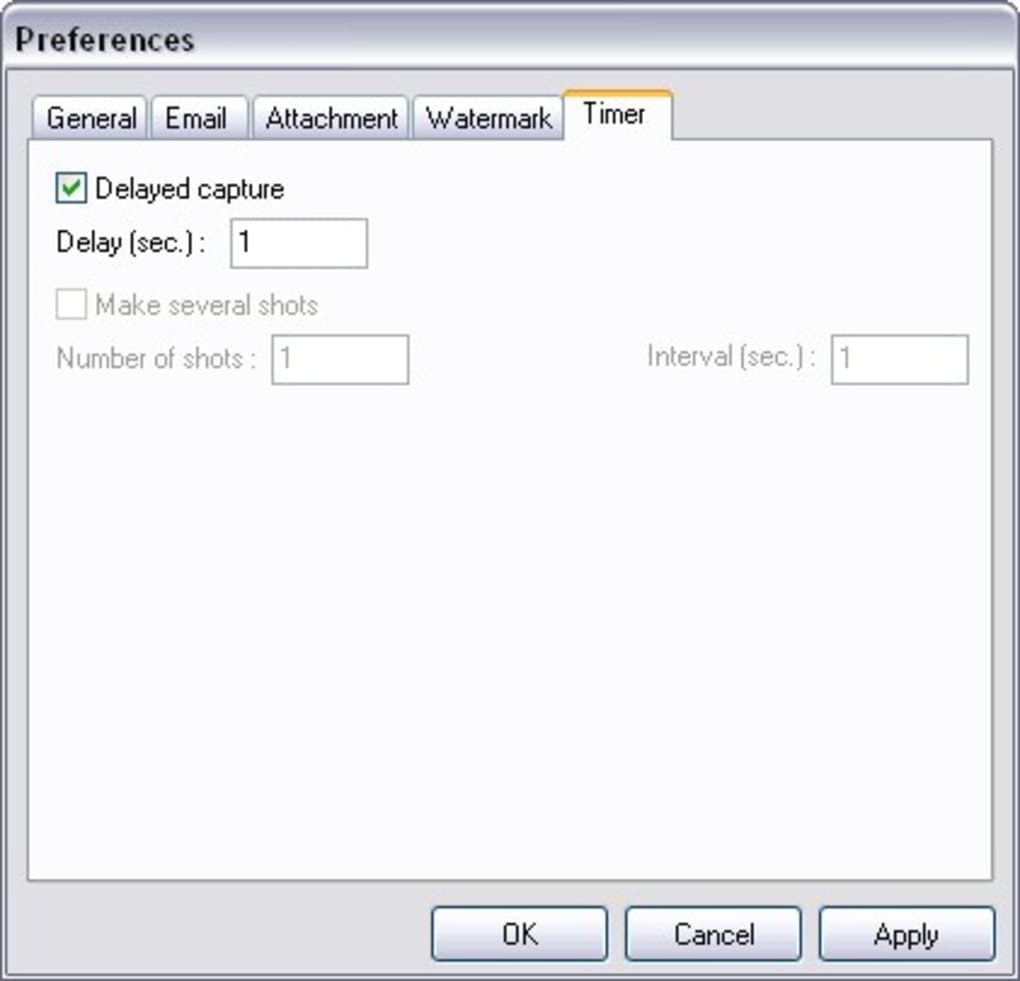
- No batch capture mode—only one screenshot at a time.
- Basic template customization—email templates are simple and not highly flexible.
- Mobile app lacks some desktop features—fewer editing options on Android/iOS.
- No built-in cloud sync—screenshots are saved locally only.
Frequently Asked Questions (FAQ)
Is ScreenShot2Email free to use?
Yes, ScreenShot2Email is completely free to download and use. There are no subscription fees or hidden charges. The core features—hotkey capture, automatic compression, and email delivery—are available in the free version.
Can I use ScreenShot2Email on my Mac and Windows PC?
Absolutely. ScreenShot2Email is fully compatible with both Windows 7 and later, as well as macOS 10.14 (Mojave) and newer. You can use it seamlessly across your desktop devices.
Does ScreenShot2Email support mobile devices?
Yes, ScreenShot2Email offers native apps for Android 8.0+ and iOS 12+. These versions allow you to capture and send screenshots directly from your smartphone or tablet.
Is my data secure when using ScreenShot2Email?
Yes, your screenshots and email data are stored locally on your device. ScreenShot2Email does not upload or store your content on remote servers, ensuring your privacy and security.
Can I customize the email subject and message?
Yes, you can set up custom email templates with predefined subject lines and message bodies. This helps maintain consistency when sending regular reports or updates.
Final Verdict: Why You Should Download ScreenShot2Email Today
If you're looking for a simple, fast, and secure way to capture and share screenshots via email, ScreenShot2Email delivers exactly what it promises. Its automation features, customizable hotkeys, and smart compression make it a standout tool for professionals, educators, and everyday users. While it may lack some advanced editing tools found in competitors like SnagIt, its simplicity and reliability more than make up for it.
The free version offers robust functionality, and the regular updates ensure long-term usability. Whether you're on a Windows machine, Mac, Android, or iOS device, ScreenShot2Email works flawlessly. With its lightweight design, strong privacy focus, and seamless email integration, it’s one of the most efficient screen capture tools available.
Don’t waste time juggling multiple apps—download ScreenShot2Email now and streamline your workflow in seconds.
Download ScreenShot2Email today and experience effortless screen capture and email automation!







